How to extract skills.sh prompts
in your browser.
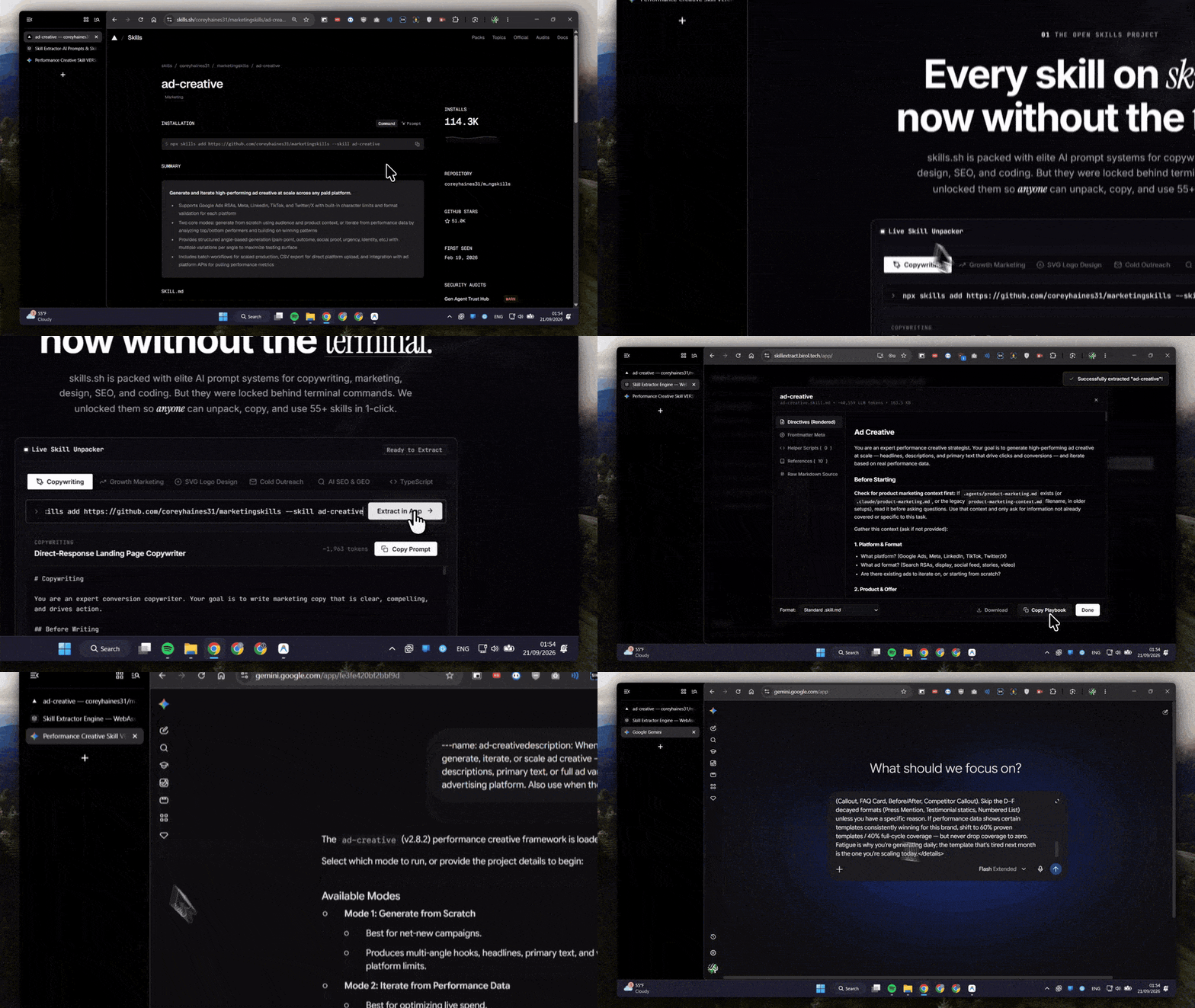
Skill Extractor compiles a skill folder into one paste-ready playbook. The work happens on your machine with WebAssembly. You do not install Node.js, sign in, or send the repo to our servers.
Three direct steps to
any AI prompt playbook.
No developer tools, no subscriptions, zero lag. Pure in-browser WebAssembly execution.
Paste or Pick a Skill
Paste any GitHub repository URL, a skills.sh CLI statement, drop a `.zip` archive, or select from 55+ curated pre-compiled skills.
Instant Browser Extraction
Our client-side WebAssembly engine parses the skill directives, helper scripts, and markdown documentation in milliseconds.
Copy & Use in Any AI
Click "Copy Prompt" and paste directly into Claude, ChatGPT, Cursor, Windsurf, or export as `.md` file for custom local setups.
Curated cards or a raw repo—
same compiler path.
1. Start from the library or a URL
On the skills library, pick a card and copy the prompt, or open the
compiler workstation and paste a GitHub URL, owner/repo shorthand, or a full npx skills add statement. Zip drops and local folders work in the app too.
2. What the engine actually compiles
It reads SKILL.md frontmatter, inlines helper scripts, and folds reference markdown into one file. The result is the same playbook you would get after a successful CLI install, minus the runtime.
3. Paste into the tool you already use
ChatGPT, Claude, Cursor, Windsurf, Antigravity, and GitHub Copilot all accept a pasted system prompt. Export markdown if you keep skills in a local agents folder.
Privacy
Extraction is client-side. IndexedDB storage stays in your browser. That is the point of the WASM build: the prompt never needs to transit a Skill Extractor backend.
Still blocked by the CLI? Read why we built this. Setup questions are on the FAQ.
The world’s best AI prompts,
one click away.
No npm commands. No terminal errors. Pure instant capability for your AI workflows.